Generate 3D geometry and export STL
Image to STL: Turn a reference photo into a rotatable STL mesh
Convert a clear photo of one subject into a 3D mesh free, with no sign-up. Orbit the generated shape in solid or wireframe mode and download STL for your slicer.
Create your model
3D preview
Sample result · TRELLIS
 Input image
A real TRELLIS example generated on AI Image to 3D. Inspect the shape, then create your own model from a supported input.
Use cases
Image to STL workflows for physical design ideas
An image to STL pipeline turns flat reference art into inspectable triangle geometry. Use it for rapid form studies and mesh sculpting, then finalize sizing and print checks in your slicer.
- TRELLIS
Use image to STL conversion to test the volume of a character drawing, creature or sculptural piece. Rotate the mesh to evaluate silhouette and overhangs before bringing it into sculpting software for detail cleanup.
- TRELLIS
Turn a reference shot into a starting photo to STL mesh for vases, figurines or desk ornaments. Load the exported file into your slicer to adjust scale, verify wall thickness and place supports for your printer and filament.
- Tripo H3.1
Share an image to STL concept mesh with teammates to evaluate proportions and overall ergonomics before building full CAD assemblies. Keep tight tolerances and mating joints for dedicated engineering software.
- Rodin 2.5 Fast
Demonstrate how flat imagery translates into triangle meshes by spinning a picture to STL model in class. Open the exported STL in a viewer or slicer to teach scaling, orientation and print preparation.
Examples
Image to STL examples with real 3D geometry
Inspect genuine meshes generated from photos, prompts and multi-angle sets with validated STL export. Colored previews display surface shading, while the downloaded STL delivers pure triangle geometry ready for slicer review.
Input imageFeatures
Your image to STL converter from photo to triangle mesh
An image to STL converter gives you a clean surface mesh to evaluate before slicing. Separate the inferred 3D volume, modeled relief and default millimeter scale clearly at every step.
Reconstruct full volume from one photo
Image to STL generation builds complete three-dimensional volume around a flat picture, giving freestanding pieces like figurines or desk ornaments a solid starting form. Inspect the inferred back and underside in the viewer before refining precision fittings in a mesh editor.
 Input image

Check silhouette changes across angles
Rotating a photo to STL mesh from front, side and rear reveals structural joins that a single camera angle hides. A handle or rim that looks thick head-on may narrow from the side, helping you spot areas to thicken before slicing.



Inspect pure geometry without surface color
Switch your picture to STL preview to solid or wireframe mode to see the exact triangle mesh that exports. Painted details belong only to textures, whereas true geometric grooves remain visible in solid view and carry over into the STL file.
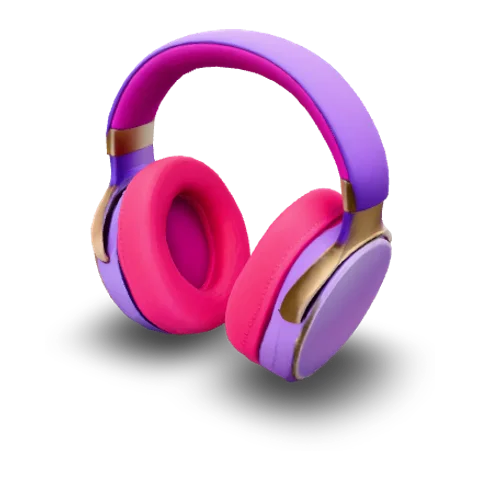
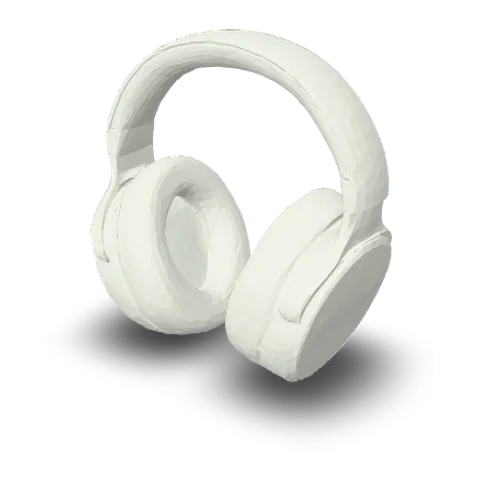
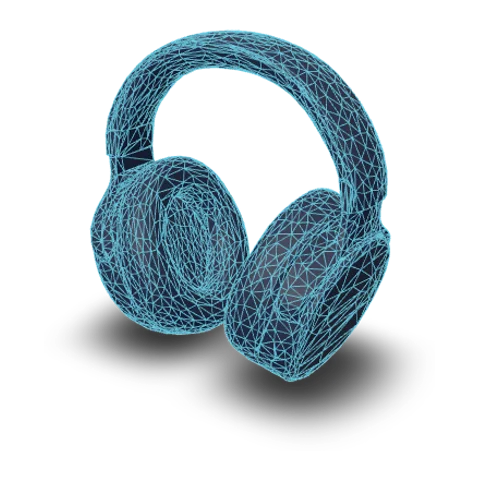
Export STL with predictable 100 mm sizing
Every STL download packages clean triangle geometry scaled to 100 mm along its longest axis using Z-up orientation. Because STL files omit explicit unit headers, confirm millimeter interpretation in your slicer and resize to your target print dimensions.

- glbWeb and games
- objEditing tools
- stl3D printing
Verified Technical Specifications
Image to STL Specifications
Every input rule, export format, and credit policy below matches the live image to STL generator and active catalog settings.
| Specification | AI Image to 3D Verified ValueVerified | Notes & Verification |
|---|---|---|
| Active Model Coverage | 7 live AI 3D models (TRELLIS free + 6 pro models) | Exact credit cost displayed on the Generate button before running |
| Input Modes | Single Image (JPG/PNG, up to 10–20 MB), Multi-Image, or Text prompt | Uploaded reference photos auto-delete after 24 hours |
| Export Formats | STL pre-selected · GLB, OBJ (+MTL), and 100 mm STL included | Inspect in textured, solid, and wireframe views before downloading |
| Free Start & Protection | 8-credit no-sign-up trial + 16-credit sign-up gift | Private 60-day Asset Library · automatic credit refund on failure |
How it works
How image to STL conversion works from photo to slicer
Follow three clear steps to move from a single object photo to an inspectable STL mesh ready for your editing or slicing tool.
- Upload an object picture
Upload a clean photo of one subject
Start your image to STL task with a well-lit JPG or PNG showing one complete object against a simple background. Pick a compatible AI model, or switch to Multi-Image when you have extra angles of the same subject.
- TRELLISUSE FREE CREDITS
- Rodin 2.5 FastPRO
- Hunyuan 3D 3.1 RapidPRO
- Tripo H3.1PRO
- Hunyuan 3D 3.1 ProPRO
- Rodin 2.5PRO
- Meshy 7.1PRO
Generate and inspect the 3D geometry
Review your model settings and click Generate. Orbit the photo to STL mesh from every side, then switch to solid and wireframe views so you can evaluate real triangle geometry independently of surface color.
- STLGLBOBJ
Export STL and prepare in your slicer
Keep STL chosen and download your mesh. Open it in your preferred slicer or mesh editor to confirm millimeter scale, check wall thickness, repair any open edges and place supports before printing.
More generators
More AI 3D generators
Beyond image to STL, explore textured GLB/OBJ exports, sketch and multi-angle inputs, or local GLB to STL conversion below.
Stories
Image to Stl Stories
See how makers used image to STL on figurines, desk props and sculptural studies, inspecting pure geometry before moving into their slicer.
I had a clean side-angle photo of a carved owl bookmark topper and wanted a printable starting mesh. Running image to STL gave me a solid preview where I verified the wing overhang, then exported the 100 mm STL straight into PrusaSlicer.
FAQ
Image to STL FAQ
Key answers on how our image to STL converter builds geometry, default sizing and slicer preparation.
- AI-generated geometry
- STL · OBJ · GLB
- Check before printing
An image to STL converter is an AI tool that turns a 2D reference photo into a 3D triangle mesh saved in STL format. On AI Image to 3D, you upload one photo, inspect the generated volume in solid or wireframe mode and download the STL for your slicer.
Start an image to STL mesh from your photo
Upload one clear reference picture, generate an image to STL model free and inspect its solid geometry from every side. Download the 100 mm STL and finish sizing and slicing in your preferred tool.